PEO Software: What to Look For and Which PEOs Offer It
In the current busy business world, handling human resources well is more important than before.
PEO ( Professional Employer Organization ) software is a solution that simplifies HR processes, automates payroll, and enhances compliance.
This article talks about the benefits of PEO software, like making HR tasks easier and more effective. employee self-service options.
We will highlight essential features, tips for choosing the right software for your business, and a roundup of the top PEO software available in the market.
Learn how using PEO software can change your business HR management.
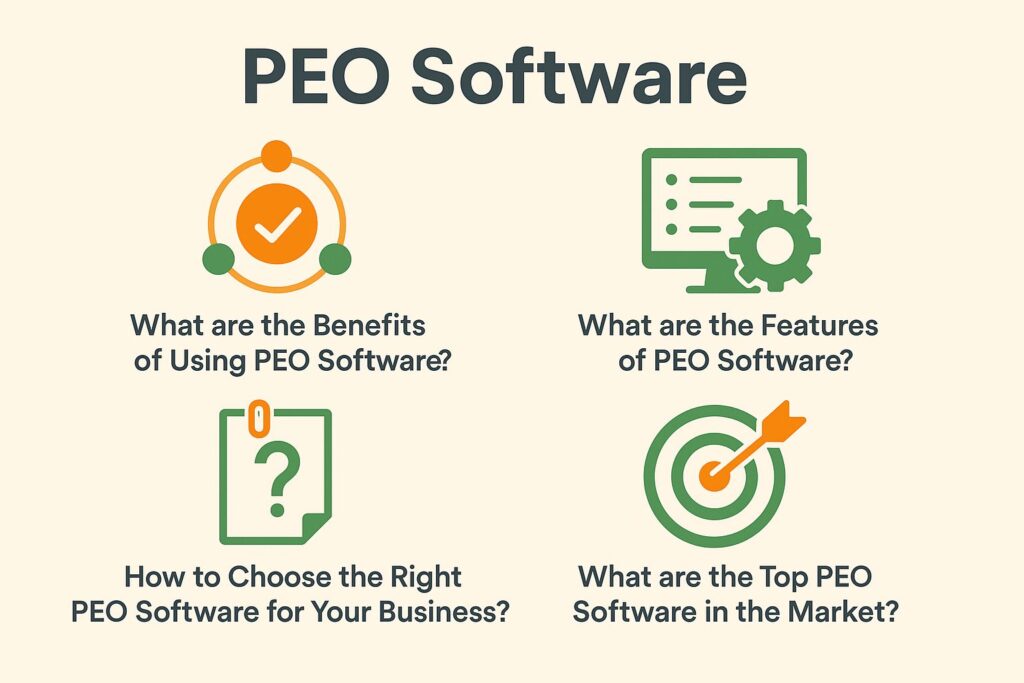
What are the Benefits of Using PEO Software?
PEO software is the platform a PEO gives you to run payroll, benefits enrollment, onboarding, time off and compliance reports in one place. You do not buy it on its own: it comes with the PEO service, so picking the best PEO for HR software means judging the platform together with the fee, the benefits and the support.
This guide explains what the software does, how to compare platforms, and which PEOs buyers shortlist for their HR technology.

1. Streamlines HR Processes
PEO software makes managing HR tasks easier for businesses by simplifying administrative work.
This automation includes managing employee records, such as personal information, performance reviews, and job history. This section includes managing benefits, simplifying tasks like dealing with health insurance, retirement plans, and employee rewards.
This software stays updated with rule changes to prevent legal issues and maintain HR compliance. Adopting digital changes in HR is important because it makes organizations work better. This helps companies use their resources well, improve data accuracy, and have a more adaptable workforce, resulting in consistent growth and outpacing competitors.
2. Handles Payroll and Benefits Management
PEO software handles payroll and benefits tasks, simplifying how businesses manage employee pay and follow tax laws.
By streamlining these essential functions, this software significantly reduces the risk of human errors that often accompany manual payroll systems. It makes payroll simpler by ensuring calculations are accurate and timely, saving important administrative resources.
Employee self-service portals allow workers to check their own payroll information and benefits details, promoting more openness and happiness. The integration capabilities of such software allow seamless alignment with other HR operations, ensuring that all data remains coherent and up-to-date.
This method makes payroll processing easier and helps organizations meet changing payroll tax rules. See also: how PEO services can be managed cost-effectively while maintaining quality.
3. Improves Compliance and Risk Management
Using PEO software significantly improves compliance and risk management, helping businesses stay ahead of changing labor laws and regulations.
This software package includes strong features that simplify tasks related to labor law compliance and EEO reporting, helping organizations easily fulfill their legal responsibilities.
By using technology to manage the paperwork and reports needed for fair job opportunities, including programs for diversity, these tools significantly reduce the chances of human errors.
Using risk mitigation strategies is important for protecting businesses from expensive fines due to non-compliance.
Keeping accurate records and quickly addressing changes in rules encourages accountability and improves how well things run.
Businesses can be confident that PEO software helps protect them from unexpected legal responsibilities by using flexible compliance features.
4. Enhances Employee Self-Service
PEO software improves employee self-service, letting employees view their details and handle benefits enrollment, benefits compliance, and leave management through an easy-to-use interface.
This method allows employees to feel more included and satisfied, as they can easily view their records, make informed decisions about their benefits, and update their details immediately without delay.
When employees take care of their own HR tasks, like checking their employment details and managing their pay, they usually feel more confident and valued by their company. This seamless access reduces the administrative burden on HR teams, enabling them to focus on strategic initiatives rather than repetitive inquiries.
As a result, the improved self-service feature makes tasks easier and creates a better workplace where employees feel supported and informed.
What are the Features of PEO Software?
PEO software offers tools that help with HR management, payroll handling, and analyzing employee data, making it a useful asset for companies. For a deeper understanding of how different PEO solutions compare, our PEO Comparison Guide: TriNet vs ADP vs Justworks provides a detailed analysis.

1. HR Management
PEO software provides effective HR tools to help businesses manage their human resources strategies and employee communication.
Using advanced features, this technology improves performance management by supporting regular feedback, goal tracking, and performance reviews. These elements are key to creating an environment of ongoing development.
It makes handling employee relations easier by setting up clear ways to communicate, methods for resolving disagreements, and thorough record-keeping, which helps cut down on conflicts and improves working together peacefully.
PEO solutions support HR strategies by providing workforce analytics, helping companies make informed decisions about hiring, retaining, and developing their workforce, which results in success for the organization.
2. Payroll and Benefits Administration
PEO software makes it easy to handle employee benefits and follow payroll rules.
These features help simplify payroll tasks by automatically calculating wages, taxes, and deductions, which greatly lowers the chance of mistakes and improves accuracy.
Effective benefits management helps organizations maintain compliance with federal and state laws, thus avoiding costly penalties. By handling employee benefits like health insurance, retirement plans, and vacation time well, this software increases employee satisfaction and helps create a more involved team.
With these modern tools, businesses can focus on expansion, confident that their payroll tasks are handled smoothly.
3. Time and Attendance Tracking
Time and attendance tracking features in PEO software enable effective workforce management by monitoring employee hours and productivity.
These features are essential for handling payroll correctly and giving information about work hours and labor expenses.
By using this data, organizations can spot patterns in attendance, helping them make better choices and manage resources more effectively. A well-implemented time and attendance system encourages accountability among employees, positively influencing their overall productivity.
When employees are aware that their time is being tracked, it inherently motivates them to be more efficient and focused during work hours. This builds a sense of responsibility and improves how the business runs. One of the PEOs known for its robust time tracking features is Rippling, which offers comprehensive solutions for workforce management.
4. Onboarding and Offboarding
PEO software makes the hiring and exit steps simple, allowing new and leaving employees to change roles smoothly.
In a fast-paced business environment, having an easy onboarding process, supported by onboarding software, is important for helping new employees fit into the company culture and start being productive right away.
Effective offboarding, including employee relations and exit interviews, is important because it helps keep company knowledge and keeps good relations with former employees.
Utilizing PEO software can significantly alleviate the administrative burden associated with these processes, automating tasks such as document management, training schedules, and exit interviews.
It helps companies follow changing labor rules and policies, protecting the organization and its employees from possible legal issues.
How to Choose the Right PEO Software for Your Business?
Choosing the right PEO software for your company means carefully looking at your company’s needs and goals. Make sure the software can grow with your business and is compatible with your current systems. This decision is crucial, considering the diverse options available, including those outlined in our comprehensive review of the best PEO companies.

1. Assess Your Business Needs
The first step in choosing PEO software is to assess your business needs, which involves evaluating your current HR strategy and outsourcing requirements.
This assessment enables an organization to pinpoint specific areas where efficiencies can be gained and where challenges lie.
Decision-makers need to collect information from different departments to see how well current HR practices are working and to find any issues in handling employees, following rules, or managing payroll. By doing so, companies can better align their objectives with the capabilities offered by PEO solutions.
A detailed review clearly shows which HR tasks might be better handled by outside companies and confirms that the chosen PEO software helps with ongoing growth and planning.
2. Consider Scalability and Integration
When selecting PEO software, consider its scalability and integration capabilities, ensuring it can grow with your business and integrate seamlessly with existing software solutions.
These qualities are important because as a company grows, its HR needs can become more complicated and challenging.
A scalable PEO solution allows organizations to add features or accommodate a greater number of employees without undergoing a cumbersome transition to a new platform.
Meanwhile, easy integration with existing tools improves operations by eliminating isolated data and ensuring all systems work together seamlessly.
This results in simpler work procedures and more accurate data, which is important for making informed business choices.
Focusing on scalability and integration in PEO software, as well as compliance management, helps meet current business needs and prepares the company for ongoing expansion and changes in a changing market.
3. Evaluate User-Friendliness and Customization Options
Assessing how easy PEO software is to use, along with its customization features and talent management capabilities, is important because it impacts employee satisfaction and HR productivity.
A well-designed interface makes it easy for HR teams to find their way around and lets employees easily access their information, giving them a feeling of control over their work environment and enhancing the employee experience.
When employees can easily use tools that match their personal needs, it improves their involvement, job satisfaction, and happiness at work.
Customization options allow HR departments to tailor functionalities specific to their organization’s culture and objectives, streamlining processes and reducing administrative burdens.
The combination of easy-to-use features and customization increases efficiency, resulting in a workplace where the needs of employees and the organization come together.
4. Research Customer Support and Training Options
Checking the customer support and training choices for PEO software, including employee onboarding and training and development, is important for easy setup and ongoing user happiness.
When businesses decide to invest in PEO software, including outsourced HR and employment services, they should understand that strong customer support can greatly affect their satisfaction and efficiency.
Good training programs, including continuous feedback and employee training, help staff use the software well and understand its features and abilities better.
By prioritizing these aspects, organizations can mitigate potential challenges that may arise in the initial stages of adoption.
Combining organized training sessions with helpful support teams significantly improves the software’s benefits, leading to better productivity and employee management.
What are the Top PEO Software in the Market?
Some top PEO software companies stand out in the market, offering particular features and functions made for various business needs.

1. Gusto
Gusto is a top PEO software known for its easy-to-use interface and payroll processing and employee benefits solutions designed for small businesses.
This user-friendly platform simplifies payroll, guarantees employees receive correct pay promptly, and lets business owners manage taxes with ease.
Further enhancing its appeal, Gusto offers an extensive suite of employee benefits, including health insurance, retirement plans, and wellness initiatives that can be customized to meet specific workforce needs.
These features make administrative tasks easier and help improve employee happiness, involvement, and retention, supporting strategic HR and organizational development.
For businesses wanting to concentrate on growth instead of HR rules, Gusto stands out as a good choice that helps business owners offer competitive benefits in a changing job market.
2. ADP TotalSource
ADP TotalSource is a popular PEO software known for its strong HR management features, HR compliance, and complete workforce services.
This platform stands out for its user-friendly interface, which simplifies various HR functions ranging from payroll processing to employee benefits management.
It provides tools that help businesses follow labor laws, which reduces legal risks. Employers value how the system handles recruitment, onboarding, and performance evaluations effectively, letting them concentrate on main business activities instead of paperwork.
ADP TotalSource offers tools that help businesses make informed hiring choices with accurate employee data. This increases efficiency and makes the workplace environment better.
3. TriNet
TriNet is a prominent PEO software that provides innovative HR technology solutions aimed at enhancing employee engagement and managing payroll taxes effectively.
TriNet is notable for managing human resource tasks effectively, supporting a positive workplace atmosphere, and promoting organizational culture.
The platform uses advanced analytics and detailed employee information, including HR analytics and reporting and analytics, to help businesses create HR strategies that fit the specific needs of their employees.
TriNet makes sure mobile access is available, allowing employees to check their benefits and payroll details at any time and from any place. This helps organizations build a motivated and varied team.
As a result, its clients experience increased productivity, labor productivity, and a greater sense of belonging among employees, strengthening overall company morale.
4. Justworks
Justworks is easy-to-use PEO software providing various employee benefits, including healthcare benefits and flexible benefits, and meeting compliance needs designed for small businesses.
Designed with the unique challenges of small enterprises in mind, the platform simplifies access to premium health insurance, retirement plans, and other essential perks that help attract and retain top talent.
It offers strong help with compliance, allowing small business owners to handle labor laws and rules easily, without the hassle of too much paperwork.
Justworks enables business owners to focus on growing their company by outsourcing tasks and planning strategically, instead of being overwhelmed with paperwork. This leads to a workplace that is more effective and engaging for employees.
5. Insperity
Insperity provides PEO software that focuses on managing risks, including worker’s compensation and COBRA administration, and supporting employee relations.
By using advanced technology and industry knowledge, this platform helps businesses handle complicated HR tasks effectively.
Its strength lies in simplifying tasks and fostering good relationships with employees, which are essential for a positive workplace atmosphere.
With personalized plans to lower risks and improve compliance, Insperity helps companies focus on their core tasks while making sure their employees are well-supported and engaged.
This approach protects businesses from potential liabilities and creates a more motivated and productive team.
Best PEO for HR Software by Need
| Business Need | PEO Provider | Why Consider It |
|---|---|---|
| A simple platform for a small team | Justworks | Listed as best for small teams, with clear published per-user pricing. |
| An easy interface for first-time buyers | OnPay | Listed as best for ease of use, though fewer integrations are available. |
| Payroll, benefits and onboarding in one place | Gusto | Listed as the best all-rounder for growing US teams. |
| Automation and connected HR, IT and payroll | Rippling | Listed as best for automation, though its pricing structure is complex. |
| Compliance support and large-group benefits | ADP TotalSource | Listed as best for full-service HR and compliance, with higher costs. |
| Industry-specific programs | TriNet | Listed as best for industry-specific solutions, though setup can be complex. |
| Hands-on HR for mid-sized companies | Insperity | Listed as best for mid-sized companies, with premium pricing. |
Read each provider’s full review before requesting a quote. Software features and pricing can change, so confirm the current capabilities during a product demo.
What to Ask in a PEO Software Demo
Ask the provider to demonstrate these tasks live using your own examples, rather than relying on a slide deck.
| What to Test | What It Shows | Red Flag |
|---|---|---|
| Run payroll for an employee working in two states | How state taxes and rates are configured. | The demo account supports only one state. |
| Add a new hire and review the onboarding checklist | How efficiently your team can onboard employees. | The process relies on paper forms or email attachments. |
| Open the employee self-service screen on a phone | How easily employees can access the platform. | Mobile access is unavailable. |
| Change a benefit election mid-year | How the system handles qualifying life events. | You must email the PEO to request the change. |
| Export a payroll report | Whether you can access and retrieve your payroll data. | Reports are available only on request. |
| Connect your time clock or accounting tool | Which existing tools you can continue using after the transition. | The provider cannot identify specific supported integrations. |
Compare all 13 providers in our list of the best PEO companies, see what the software costs inside a PEO fee in the PEO cost guide, or learn how PEO payroll services work. Not sure a PEO is right? Read our PEO guide for small business.
Written by Carol Sanders, a Harvard University graduate with a degree in psychology and human resources. I’m the owner of a successful PEO consulting firm in Massachusetts and a contributing writer for PEO Costs. With over eight years of experience, I help high-growth businesses reduce risk, improve HR efficiency, and scale confidently through expert co-employment strategies.